Darklands Restoration Project 1.0.0-rc2 is out
The second release candidate of Darklands Restoration 1.0 is out. It brings a new launcher, picture filters for large screens, a move to SDL 3, and a round of comfort and faithfulness fixes. The game itself plays as in rc1, with the remaining differences we found in battles closed. Your saved games and settings carry over.
A new launcher
The settings now open in a painted window of their own, DarklandsRP Launcher.exe (on Linux ./DarklandsRP-Launcher). It has no title bar: drag it by the painting, resize it by its edges. The settings sit on two tabs, problems are explained in tooltips, and the file and folder dialogs start where they make sense. DarklandsRP.exe goes straight to the game.
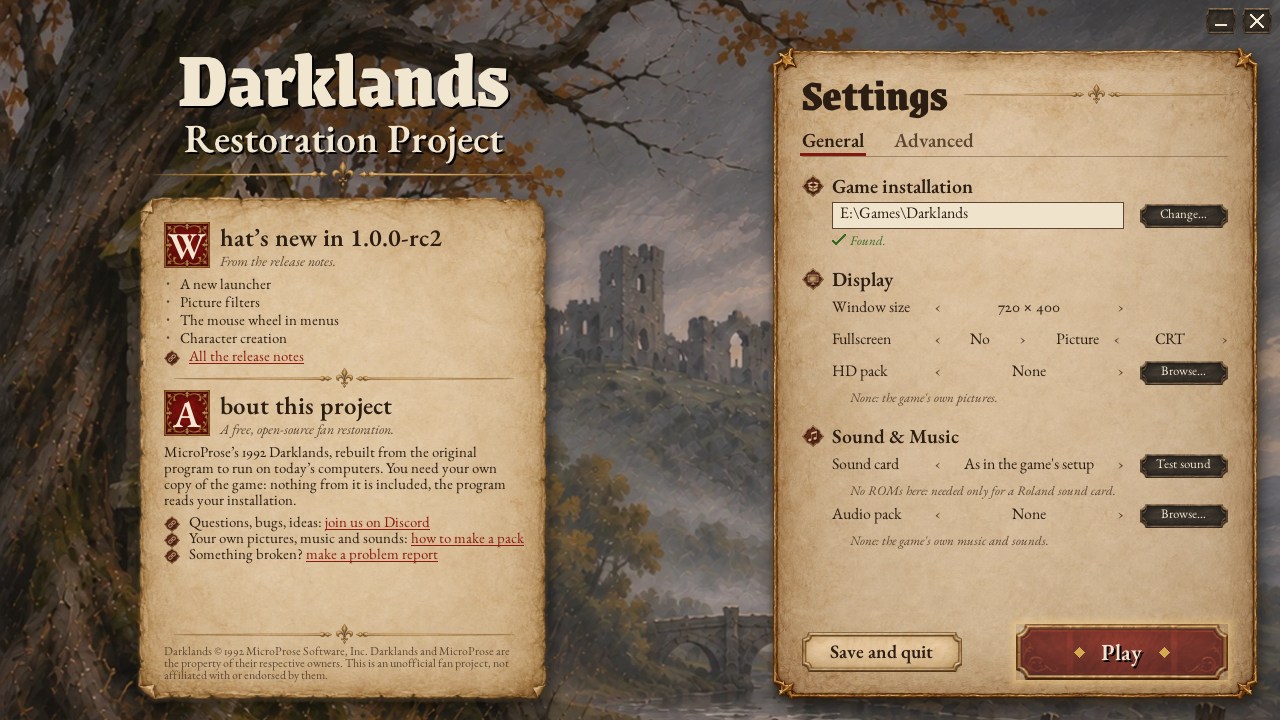
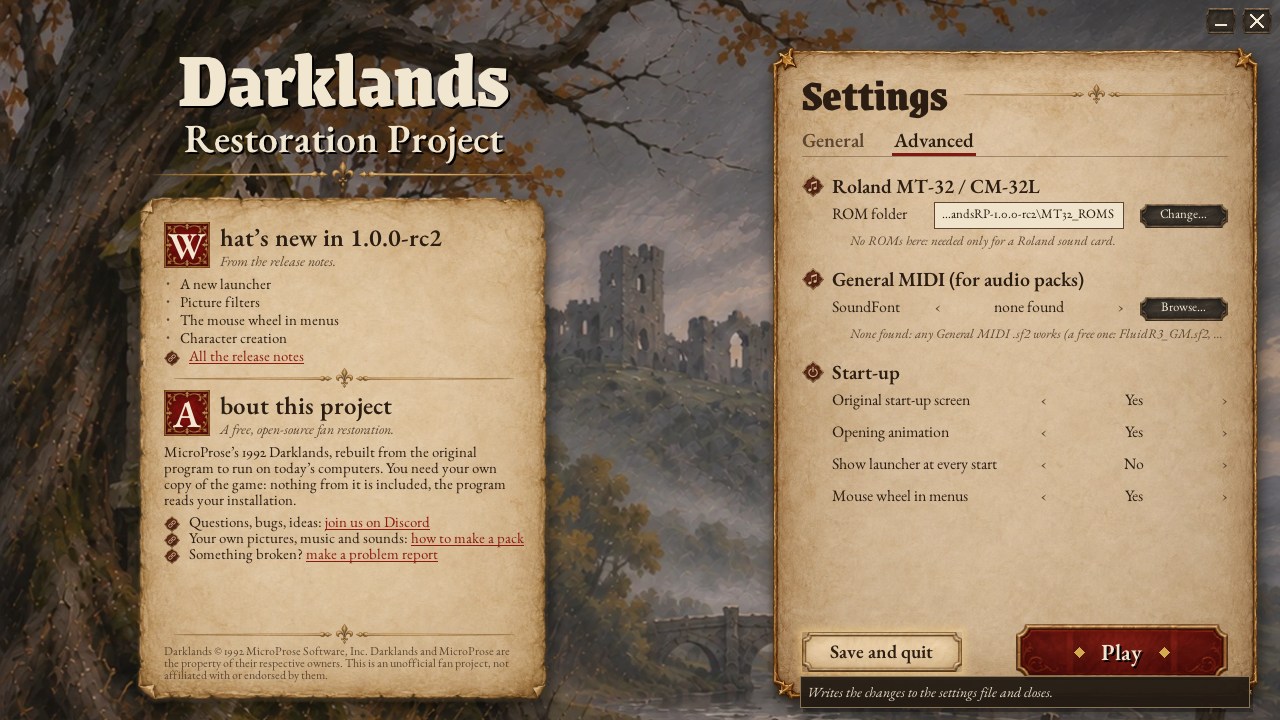
The General tab holds the game folder, the display, the sound and the packs. The Advanced tab holds the Roland MT-32 ROMs, a SoundFont of your own for General MIDI packs, and the start-up choices, among them the new mouse wheel.
Picture filters
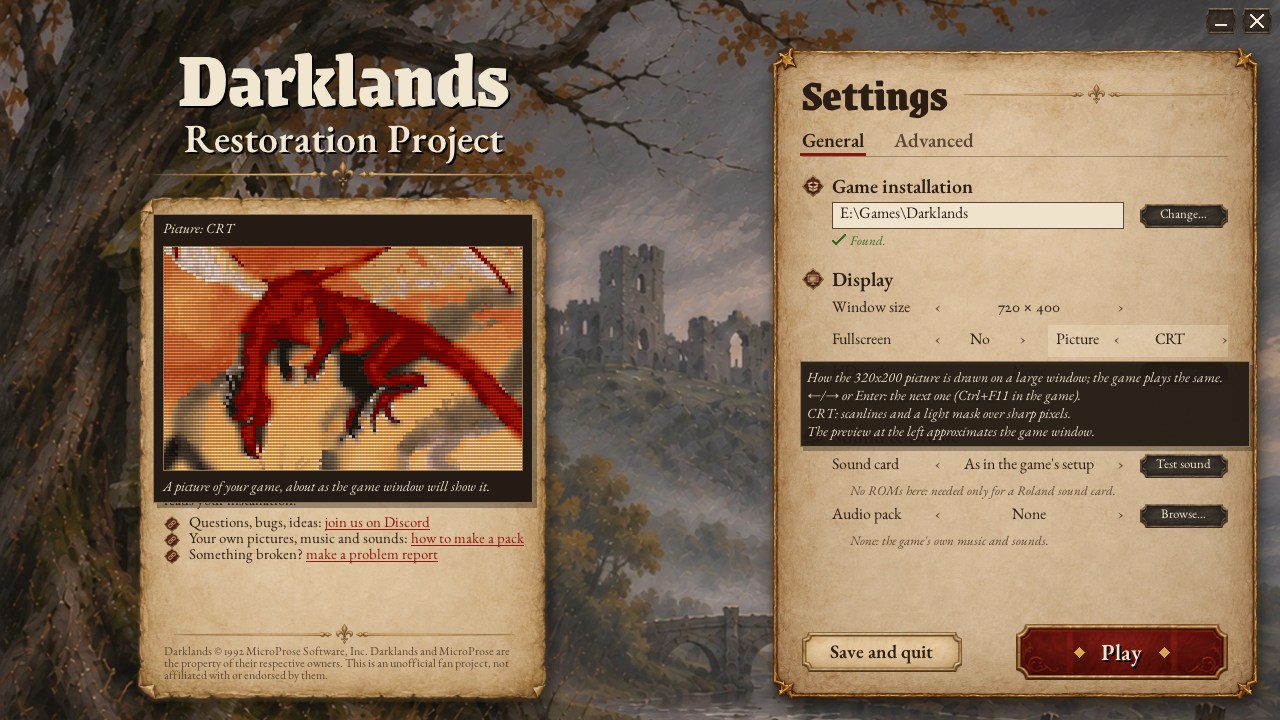
Darklands draws a 320×200 picture; on today’s screens it has to be enlarged a lot. You can now choose how. While the Picture row is chosen, the launcher previews each filter on a picture from your own copy of the game.
Here is the same piece of the world map in a 1920×1080 window with each filter, at full size. All of them are drawn by the graphics card as the window is shown, and the game plays the same whatever you pick.
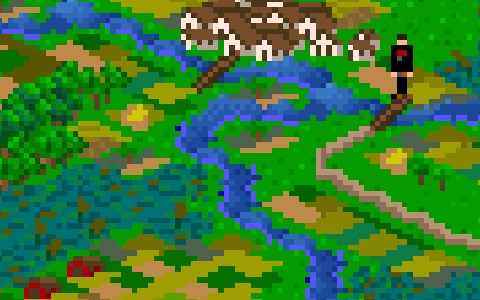 DefaultSharpHard pixels, as before.
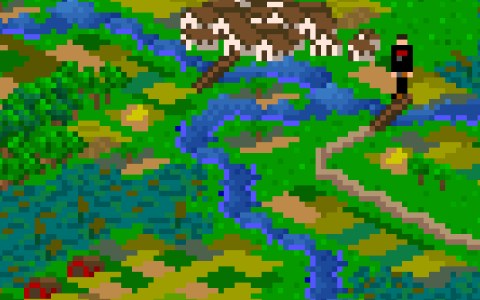 EvenEvery game pixel the same size, at any window size.
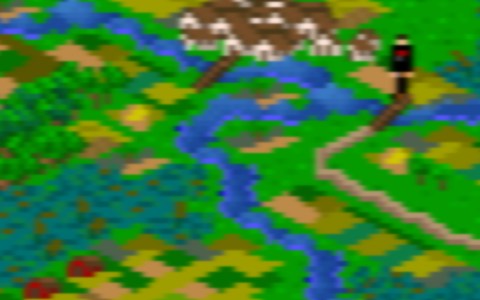 SoftA VGA monitor's gentle blur: the dithering blends as it did on a 1992 screen.
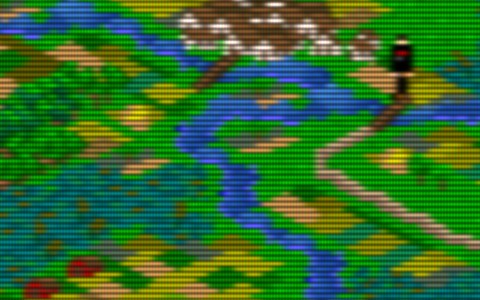 Soft CRTThe soft picture with scanlines.
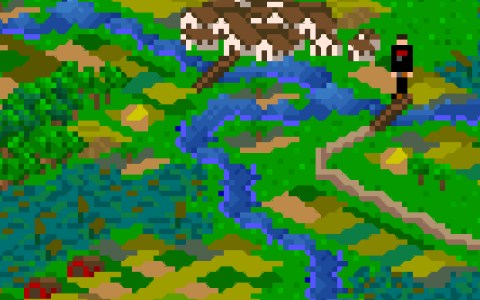 HQRounded diagonals and outlines; the dithering is kept.
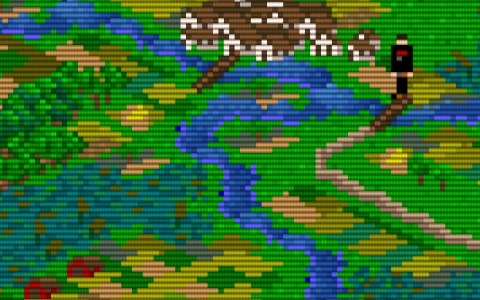 CRTScanlines and a light colour mask.
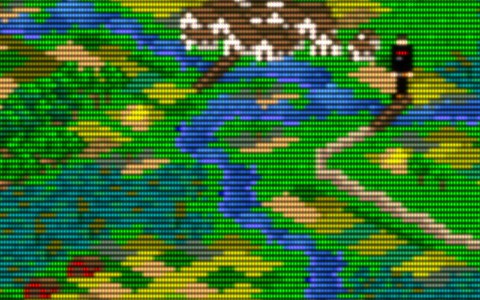 CRT+A richer CRT with glow.
The same filters in a battle:
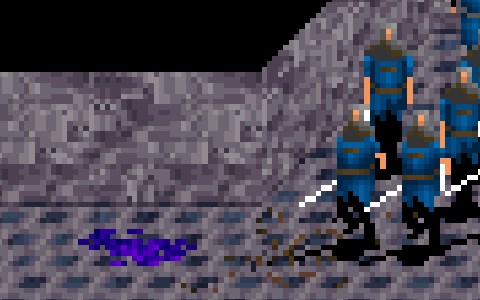 Sharp
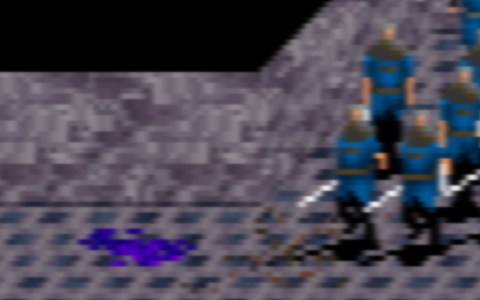 Soft
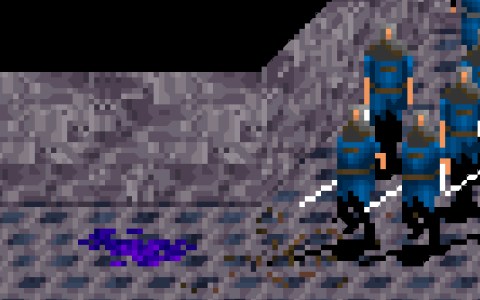 HQ
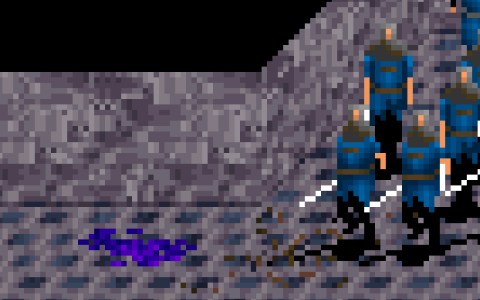 Even
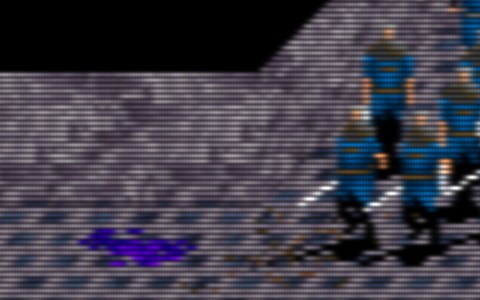 Soft CRT
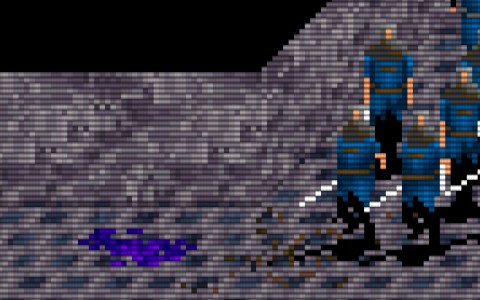 CRT
The CRT kinds can also bend the picture slightly, as a tube did: "crtCurvature": true in the settings file. Here is a whole battle window with CRT+ and the curvature, next to the same moment with Sharp:
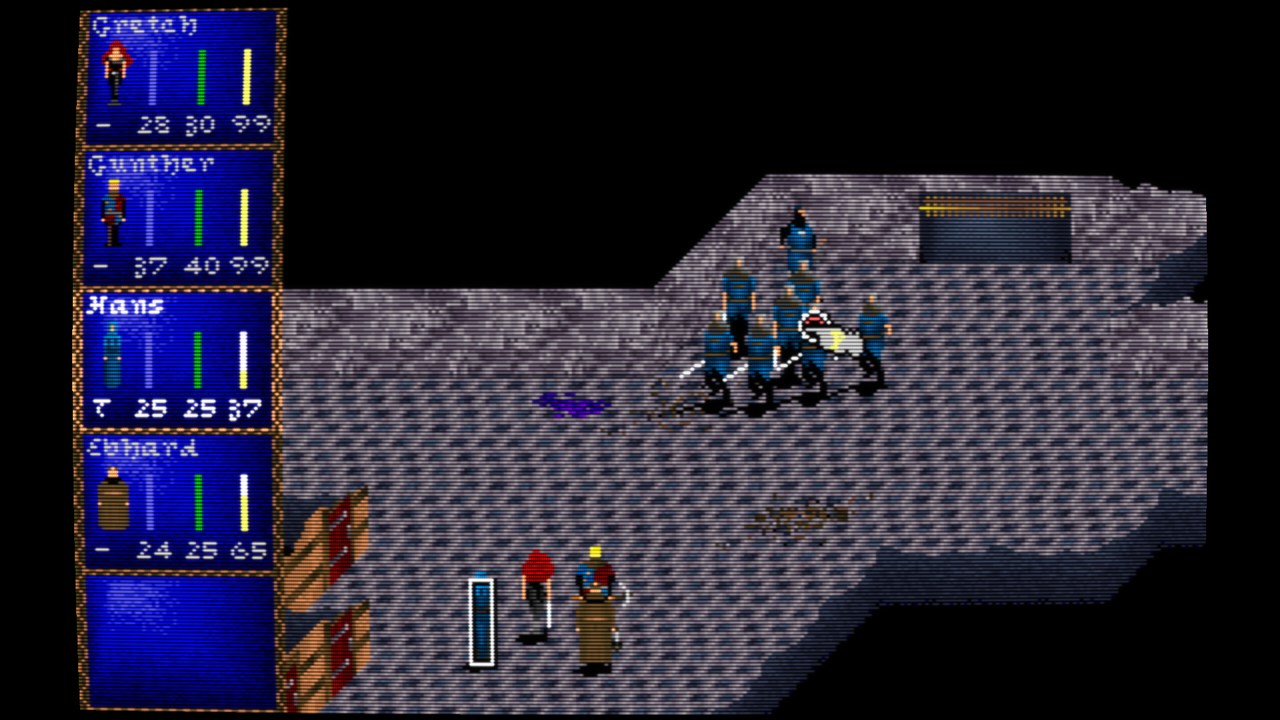
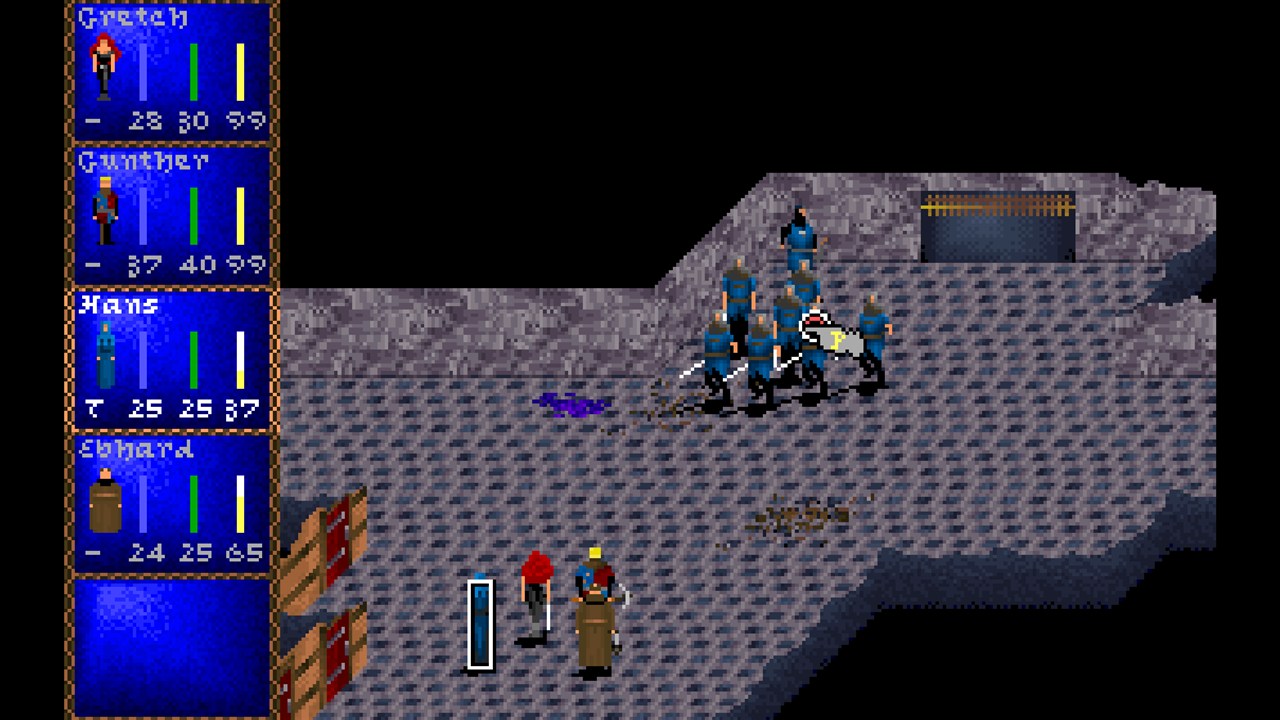
Choose the filter in the launcher, with --filter, or cycle through them in the game with Ctrl+F11.
Release notes
New
- A new launcher. A painted window without a title bar (drag it by the painting; the edges resize it), the settings on two tabs (General: game folder, display, sound, packs; Advanced: Roland ROMs, SoundFont, start-up), tooltips that give the full text of a problem, and buttons that light up under the pointer. A click on a row only selects it; Browse… or Enter opens the folder or file dialog, which starts in the row’s folder or in the program’s own. There is now a separate
DarklandsRP Launcher.exe: it opens the settings;DarklandsRP.exegoes straight to the game (Shift at start or--setupstill open the launcher). - Picture filters. Sharp (the default), Even, Soft, Soft CRT, HQ, CRT and CRT+, with a preview in the launcher made from your own game,
--filter, and Ctrl+F11 in the game. An optional slight curvature for the CRT kinds. The game plays the same whatever the filter. - The mouse wheel in menus. In card menus, pop-up boxes, shops, the pack, the load list and the other lists the wheel moves the highlight, like ↑ and ↓; on the map and in battle it does nothing.
--no-mouse-wheelor the launcher’s Advanced tab turn it off. - Character creation. A right click on the chosen attribute or skill lowers it, the mirror of the left click that raises it; + and − now work on every keyboard layout (AZERTY, QWERTZ, the keypad).
- No console window. The game opens only its own window;
--log-windowshows the program’s messages in a window of their own. Everything is still written to the log of each run.
Changed
- SDL 3. The game now uses SDL 3.4 instead of SDL 2: sharper windows at 125 % and 150 % display scaling, the system’s own file and folder dialogs, and the GPU path the filters need. Windows:
SDL3.dllis included. Linux: you need SDL 3 (libSDL3.so.0, SDL 3.2 or later), which SteamOS, the Steam runtime, Arch, Fedora, Debian 13 and Ubuntu 25.04 or later have; on Ubuntu 24.04 or Debian 12 install it yourself or run the game through Steam. - .NET 10.0.14, with its security fixes.
- Faster character sheets. A member’s sheet opens at once, also the first time; the scroll’s unrolling keeps the original’s pace.
- Buttons stay pressed long enough to see (at least a tenth of a second), as they did on the computers of the game’s time.
- Settings the launcher has no row for are no longer dropped when you press Play.
- Hand-edited saved games with impossible values (a 13th month, a place outside the map) are refused with a message instead of crashing the game.
Fixed
- Battles. In two kinds of mine fights the party is placed where the original places it; spellcasters choose their targets as the original does; random spots of the party’s formation take the original’s test results.
- After the loot screen a dead member’s row keeps the original’s frame line.
- Keys. + and − reached the game only on some keyboard layouts; Shift with the top row on AZERTY gave symbols instead of digits.
Faithfulness
Every change to the game’s behaviour was checked against the original game running side by side. All 1,001 recorded battles and whole-game sessions agree with the original, played anew live from the original for this build. About 85% of the decision points in the program have now run in such a comparison (90% counting those proven unreachable). Every difference we know of, and every original bug we keep, is listed with its reason in the project’s faithfulness summary; the original bugs are also on the Bugs & Oddities page.
Help us make 1.0
If nothing serious turns up, 1.0 follows with the same game, so every report counts: a crash, something that looks wrong, or anything that plays differently from the Darklands you remember. Just play, and tell us what you find. In the game, Ctrl+F12 (or “make a problem report” in the launcher) packs the logs and your last saved game into a zip and opens the GitHub issue form; nothing is sent by itself. Ideas and impressions are welcome too, on the Discord. Linux and the Steam Deck have not been tried with this build yet: reports from them are especially welcome.
Download 1.0.0-rc2. You need your own copy of Darklands; no game files are included.