DARK - Darklands Authoring & Resource Kit
DARK is a desktop workbench that brings together Darklands’ file formats in a single application. Point it at a game installation and supported game files become accessible from one interface - no additional tools, no command-line setup, no emulation required.
Download DARK from GitHub Releases
Download the current Windows package from GitHub Releases, unzip it, and run DARK.exe. Requires a Darklands installation - point the tool at your game folder on first launch.
Built on Community Work
Most of Darklands’ file formats were documented years ago by a small group of dedicated researchers, primarily working in and around the Darklands Yahoo Group. Merle, Joel “Quadko” McIntyre, M. Gutsohn (Nurnberg project), and others spent real time reversing binary structures, writing format specifications, and building tools - largely without automated help, largely because they cared about the game. Those XML specifications are preserved in Wendigo’s Darklands repository (wendigo.online-siesta.com/darklands) and remain the reference source for most of what DARK understands. For anything game-side - mechanics, items, locations, lore - darklands.net by Matt Wirkkala is the place to go.
That community also produced tools: save editors, archive extractors, map viewers. Some still work perfectly. Some have grown harder to run on modern systems. They were always separate - one application to edit a save, another to look inside a catalog, something else for images.
DARK’s purpose is to gather that existing knowledge in one place, make it run reliably today, and extend it into areas where the original documentation ran out. It does not replace the community’s work; it is built on it.
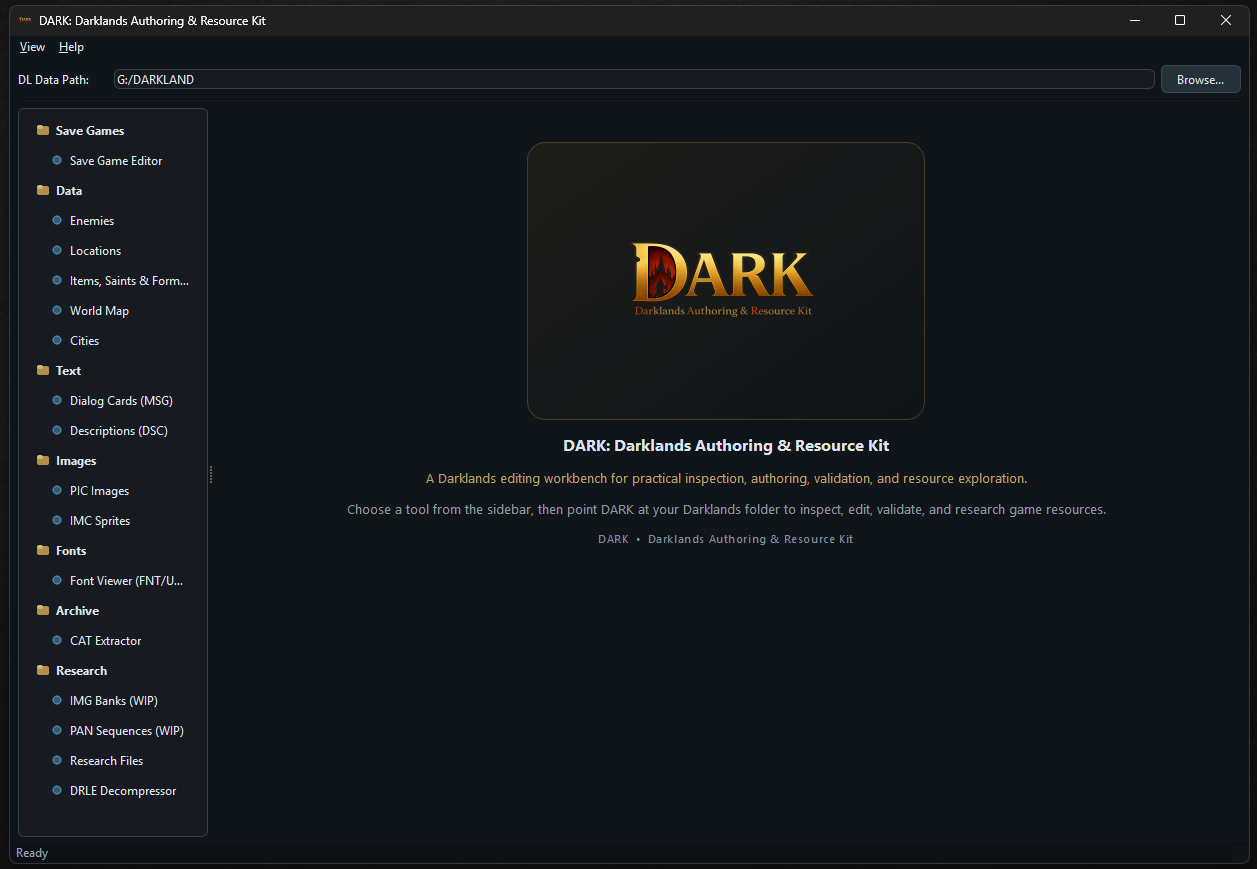
The sidebar organises everything into seven sections.
Save Games
Any save file opens into a structured view of the party: all seven attributes with their current and maximum values, all 19 skills laid out with their names rather than raw numbers, equipment in each slot, inventory contents, and the party-level state - currency split across florins, groschens, and pfenniges, the bank note balance, fame, and the Philosopher’s Stone quality. Every field is editable and saves back to the original file.
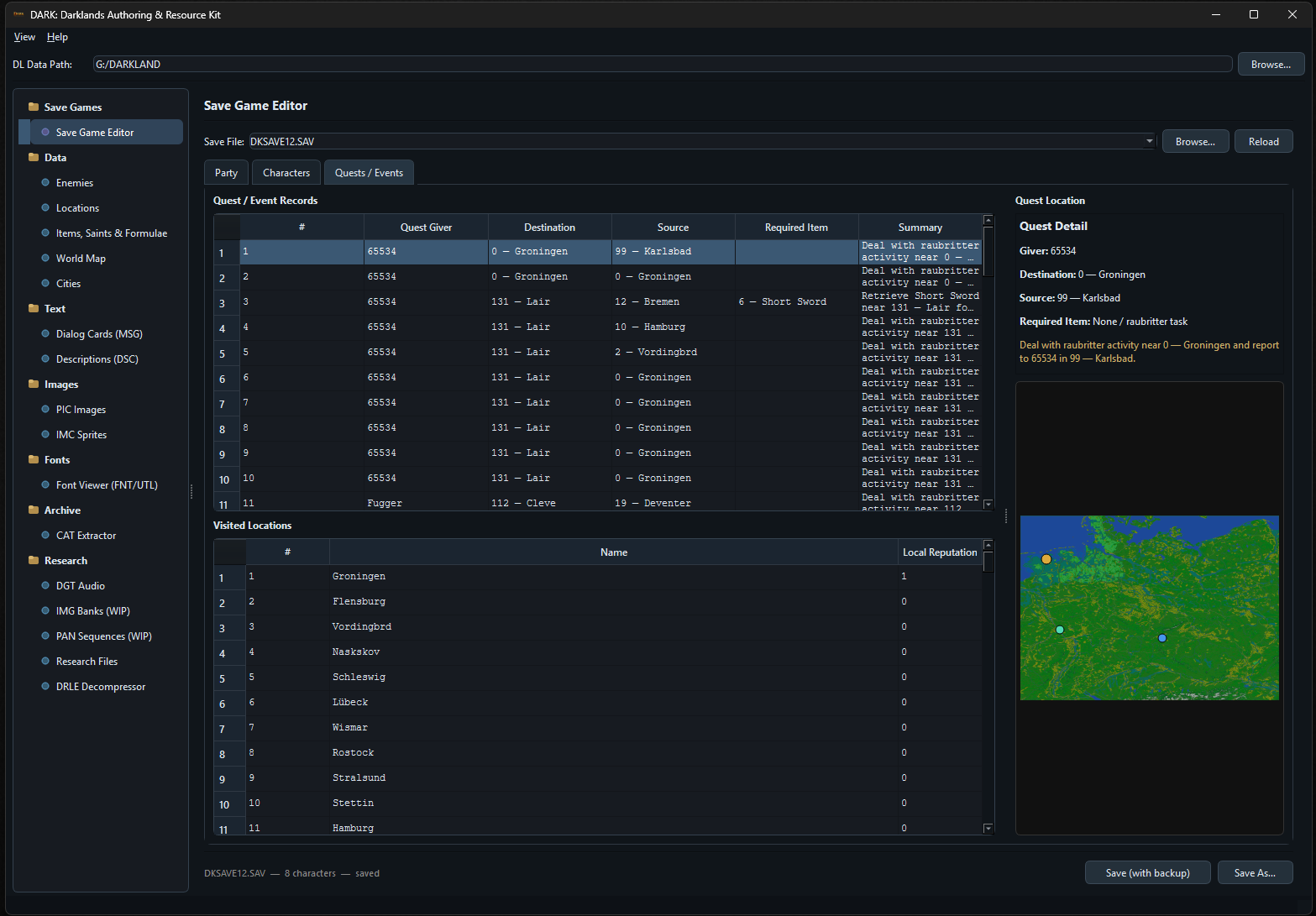
The Quests / Events tab lists every active and completed quest and event record in the save: status, open date, destination city, source location, required item, and a text summary for each entry. A panel on the right plots the quest destination on a mini-map of the game world, so you can see at a glance where each objective is sending the party.
Enemies
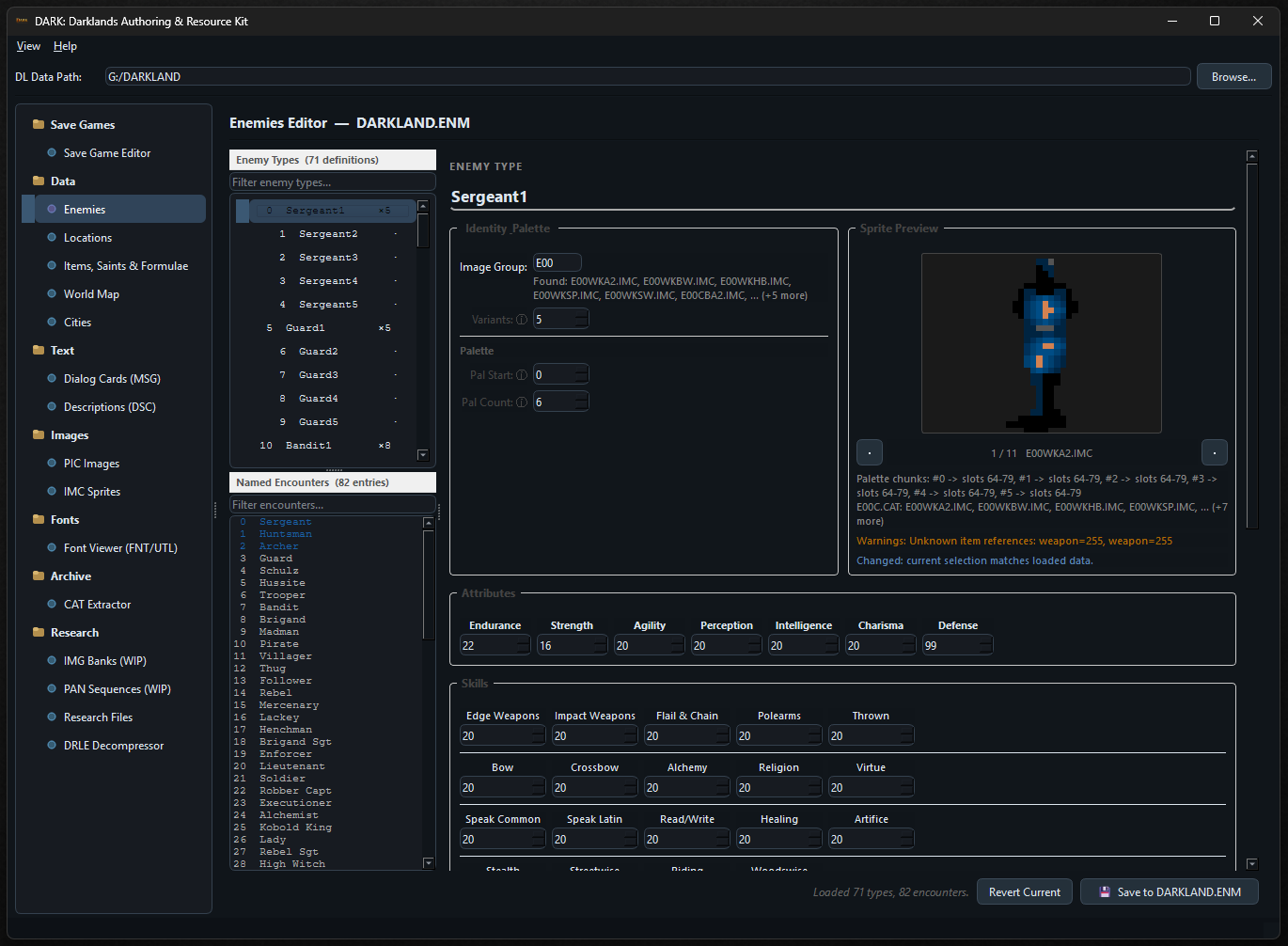
The enemy data from DARKLAND.ENM decoded into a navigable list. All 71 enemy types with their full stat blocks - base attributes, skill ratings, weapon assignments, armor and shield item codes with quality values, palette chunk references, and variant counts. The 82 named enemies reference their type and show their name strings.
The tool resolves the image group to the actual IMC files it covers, previews the sprite directly from the loaded catalog with the correct palette applied, and flags known data issues such as invalid item references.
Locations and Cities
All 414 world locations with icon type, map coordinates, city size, and name. The location list and city database are presented together so cross-referencing between the two files is straightforward. The 92 city records include all their internal location names - inn, cathedral, market, fortress, kloster, university - building-presence flags, dock destination links, and the nine shop quality ratings.
Items, Saints, Formulae and Alchemy
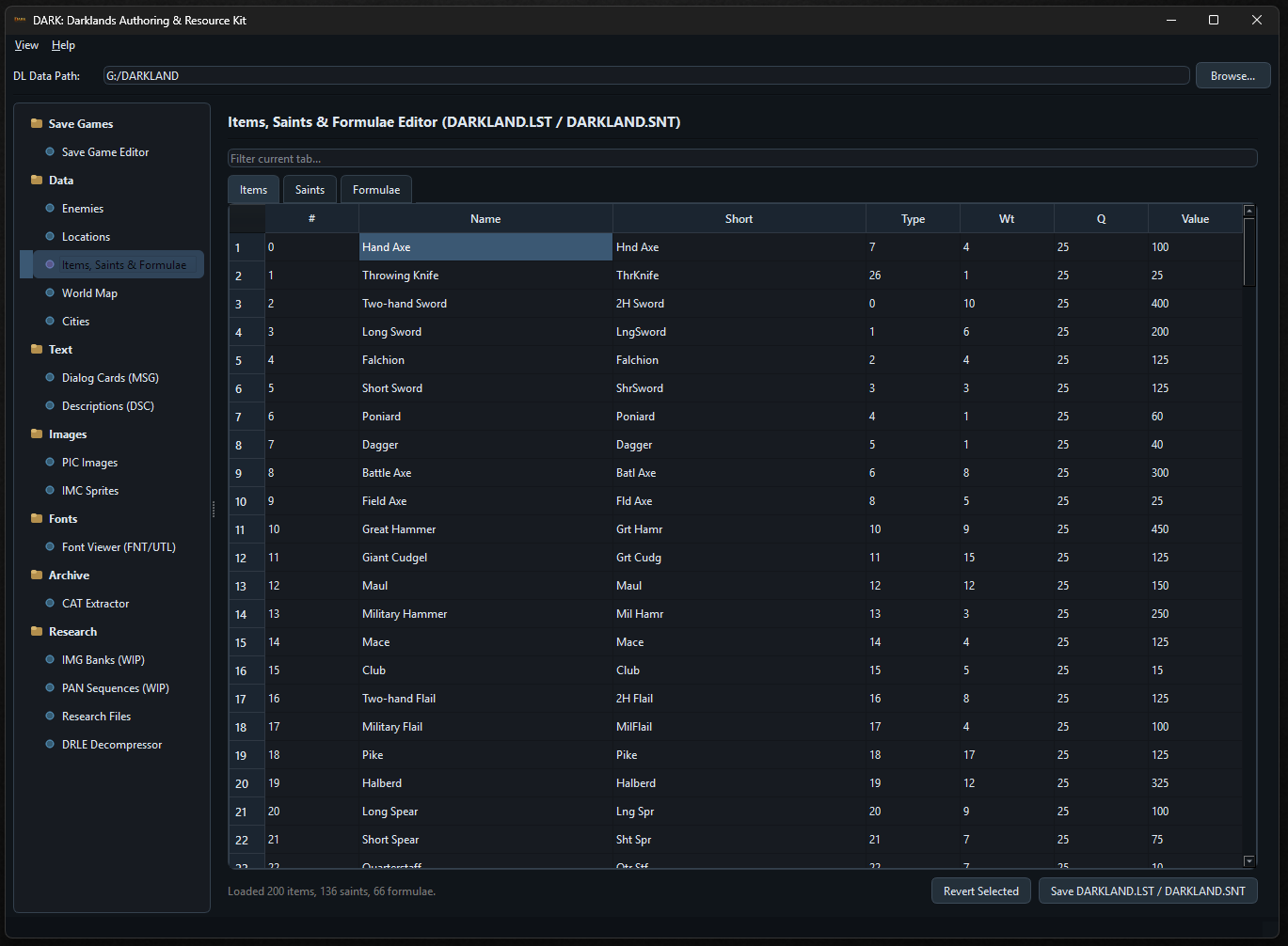
The complete item table from DARKLAND.LST in a searchable, filterable grid: item code, full name, short name, type, weight, base quality, and value, all decoded from binary flags into readable columns. Saints, alchemical formulae, and the DARKLAND.ALC recipe data live on adjacent tabs in the same editor, loaded and saved together.
World Map
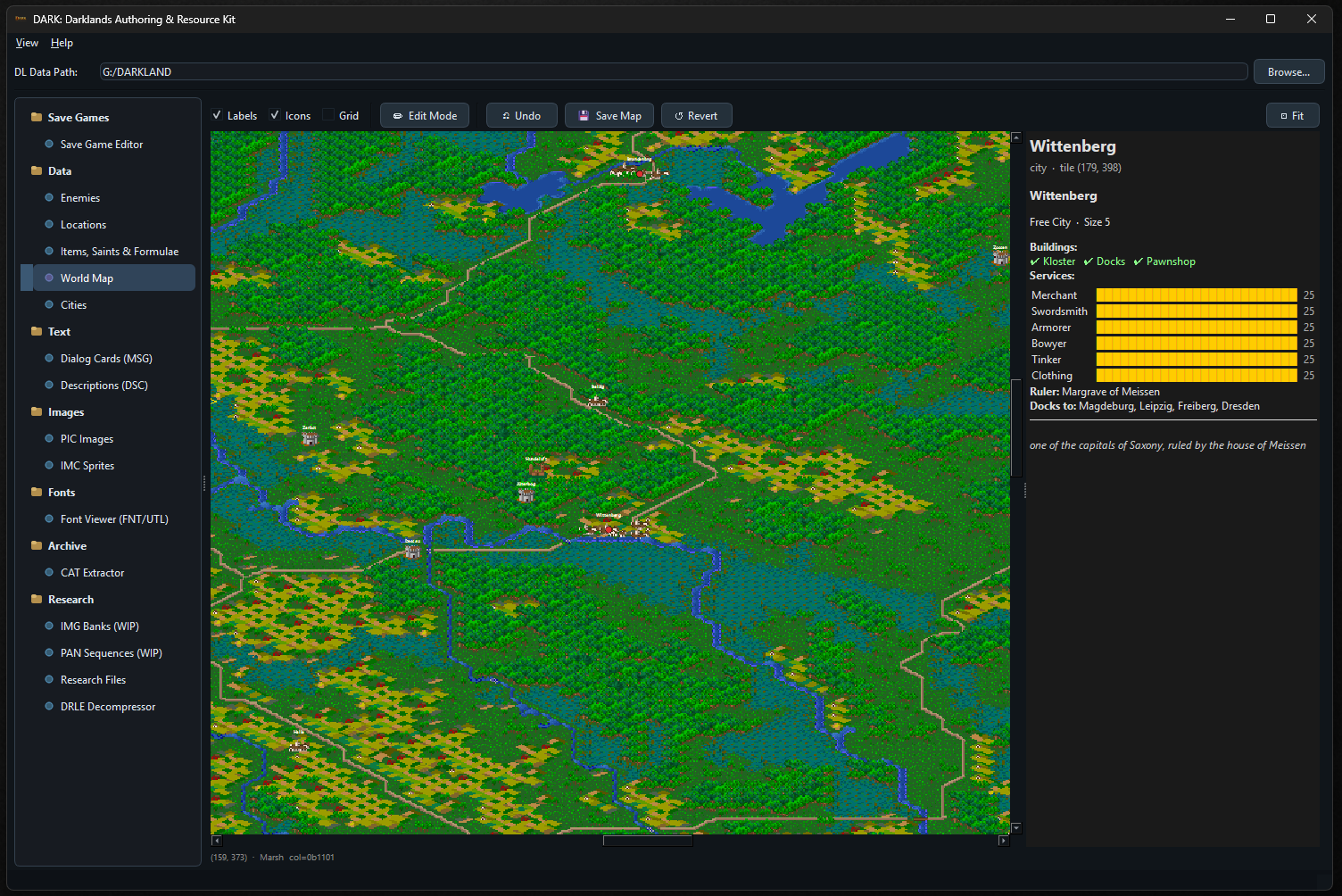
The full Darklands wilderness map rendered as a navigable, pannable, zoomable image. The underlying DARKLAND.MAP is a 328x932 hex-grid of RLE-encoded tile data drawing from two PIC tile palettes; the viewer decodes that and renders the complete geography - terrain, rivers, coastlines, roads - at any scale.
Location icons and labels are overlaid on top. Clicking any tile shows its raw encoding and terrain type in the status bar; clicking a location or city pulls up its full data panel on the right: name, type, size, buildings, services with quality bars, ruler, dock connections, and description. An edit mode allows tile changes to be written back to DARKLAND.MAP directly, with undo and revert.
Text - Dialog Cards
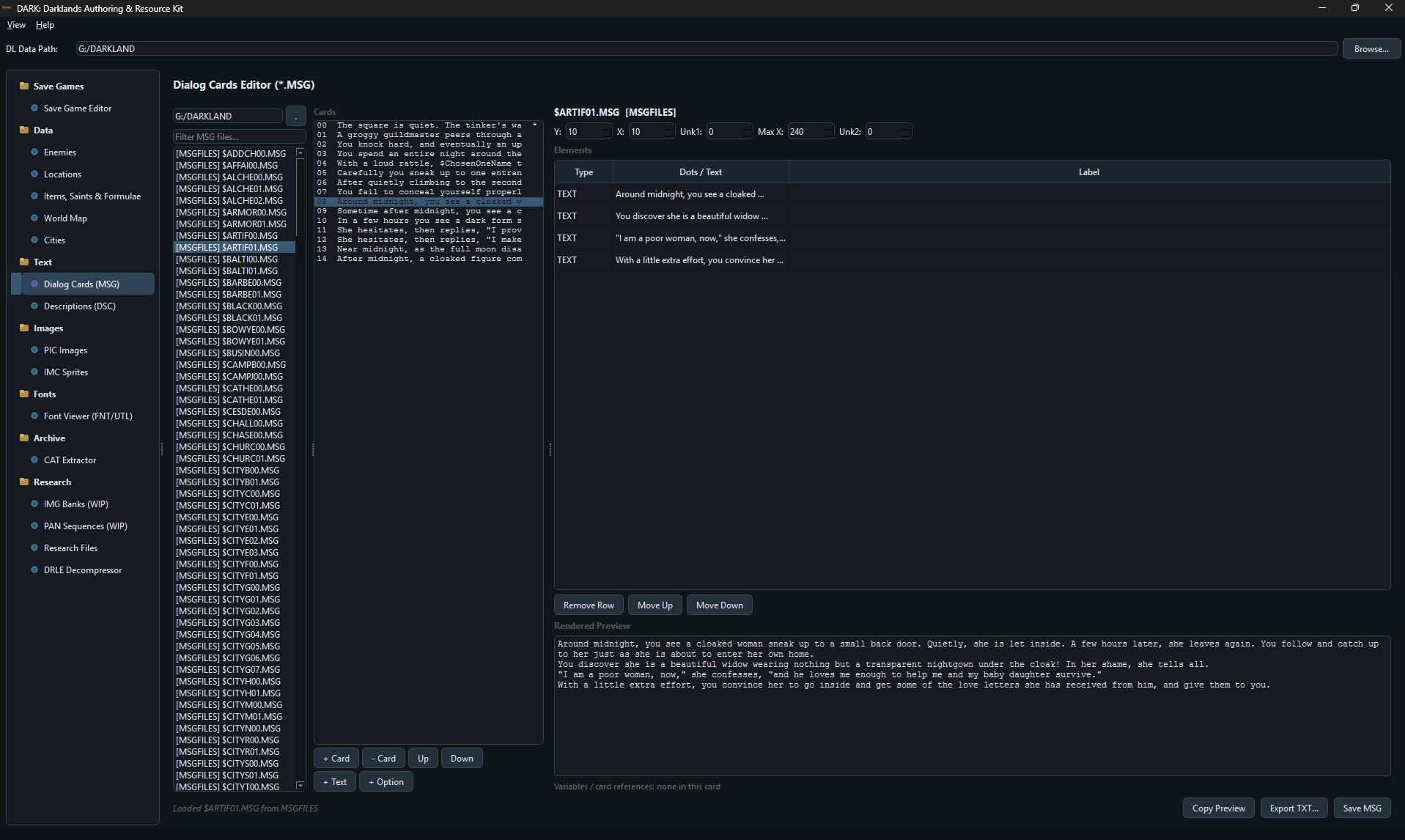
The DARKLAND.MSG dialog files contain the branching conversation trees that appear throughout the game - city menus, quest dialogues, encounter scripts. Select a file from the left panel, select a card, and the right panel shows every text element and option in sequence with a rendered preview below. Cards and elements can be added, removed, and reordered; the result saves back as a valid MSG file.
Images - PIC and IMC
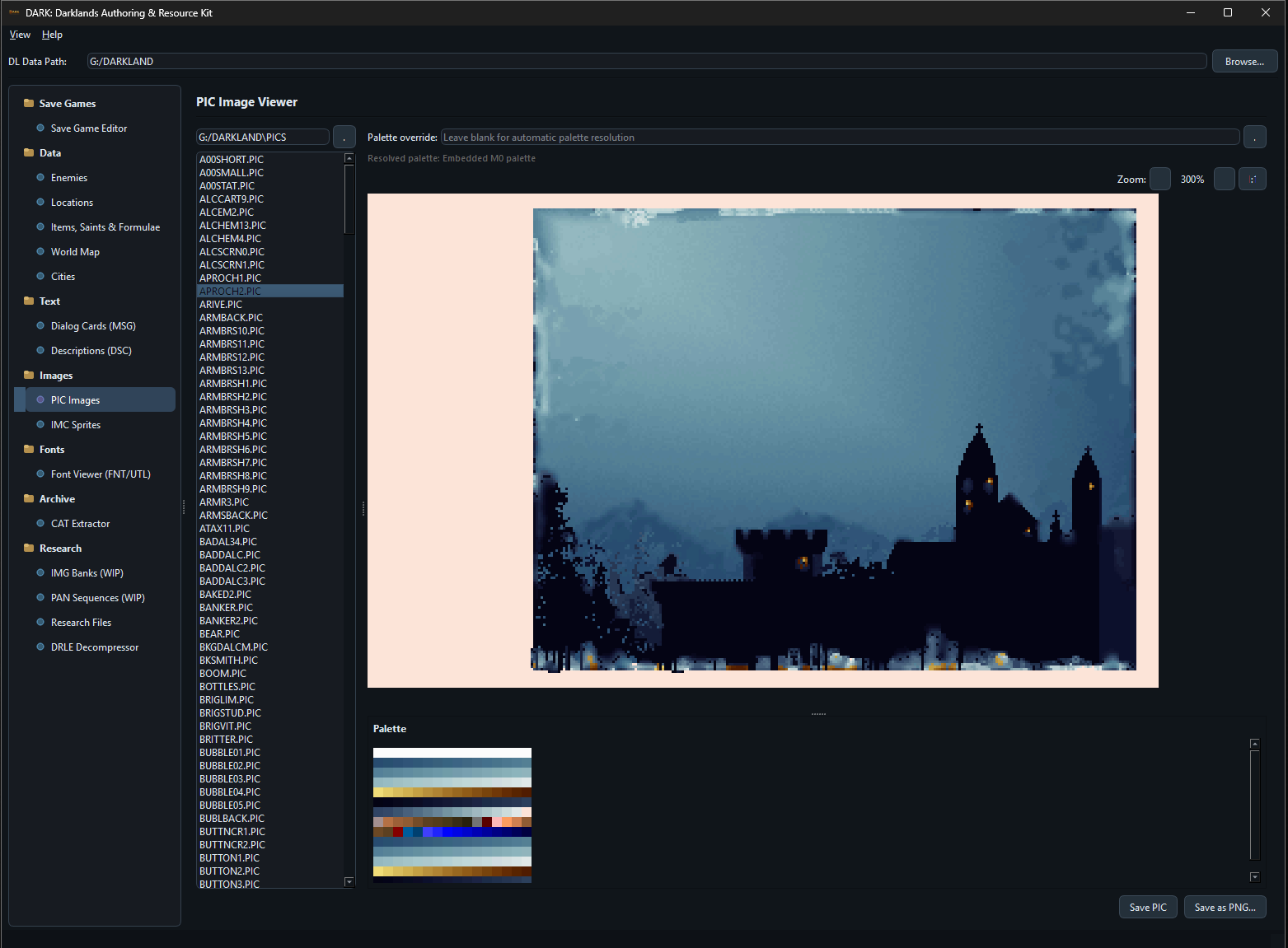
PIC sprite sheets are decoded and displayed with correct palette mapping - the tool resolves the embedded palette and renders the image as the game would show it, with export to PNG.
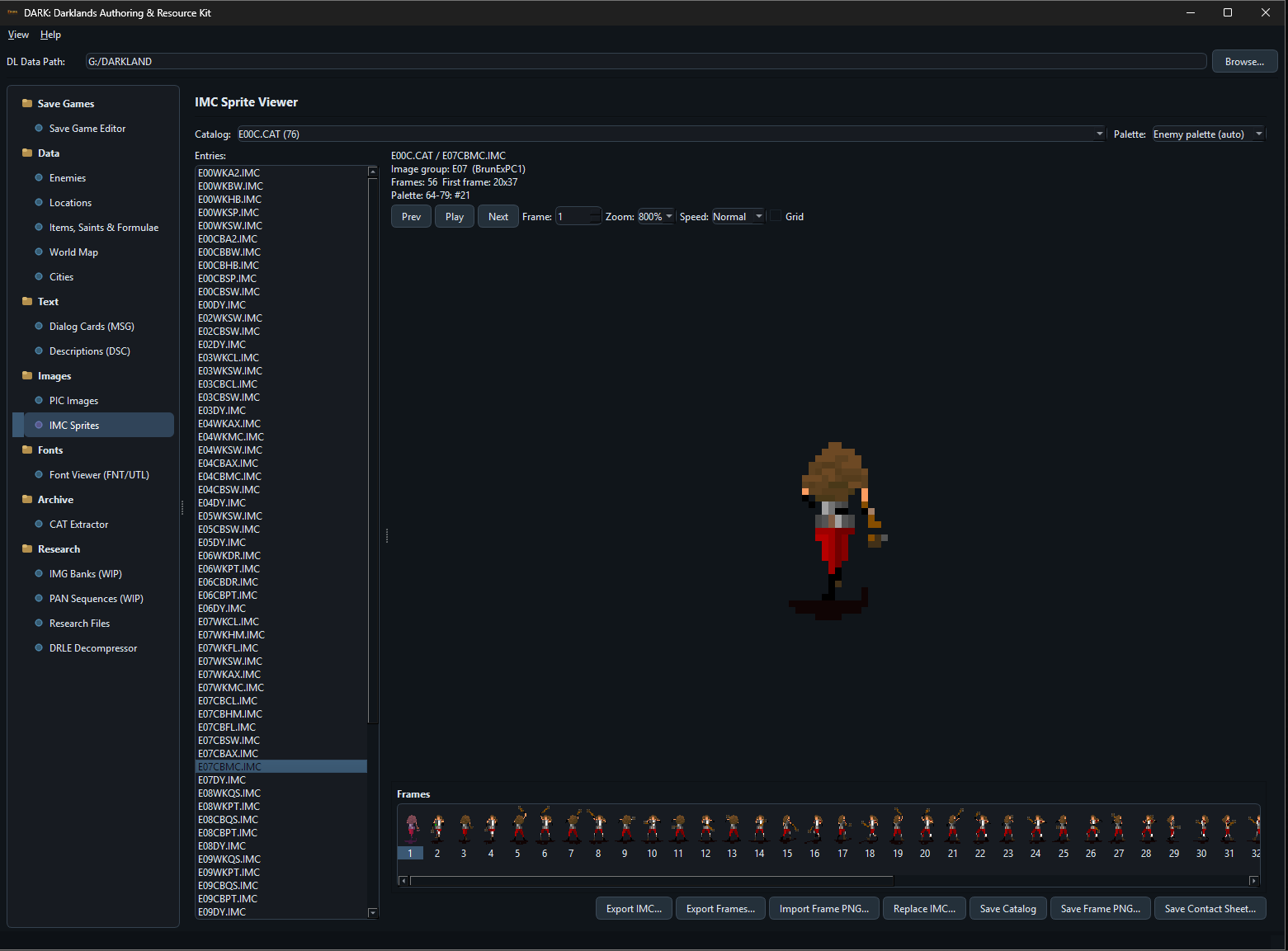
Tactical combat sprites from the IMC format get a dedicated animated viewer. Selecting a sprite from a CAT catalog shows the full animation strip with frame-by-frame navigation and playback. The enemy palette from ENEMYPAL.DAT is applied automatically so each sprite renders in its actual in-game colours. Individual frames or full contact sheets can be exported.
Fonts
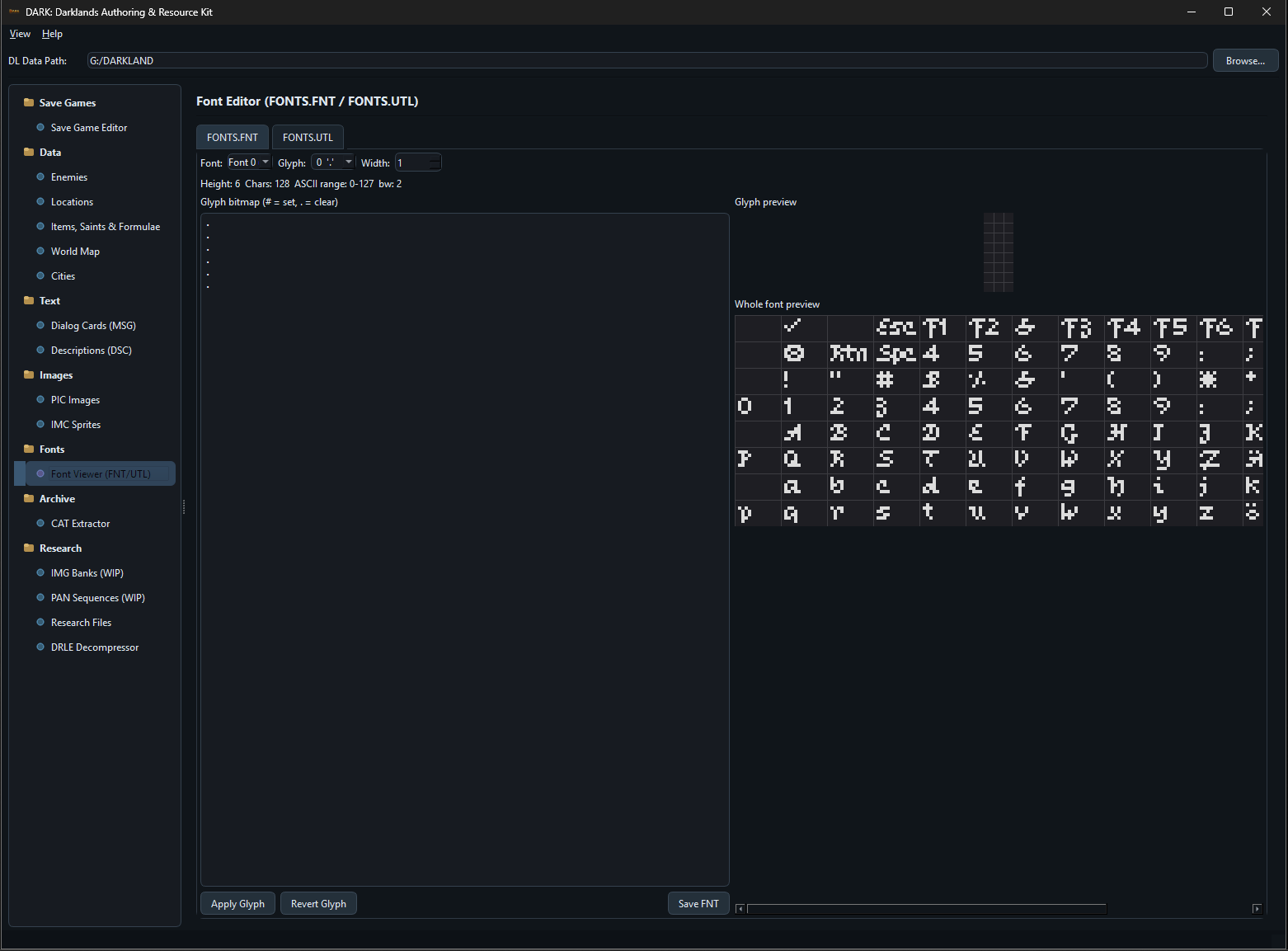
The game’s bitmap font sets from FONTS.FNT and FONTS.UTL rendered glyph by glyph in an editable grid. The whole-font preview shows every character at once; selecting a glyph opens its pixel bitmap for editing. Changes apply immediately to the preview and can be saved back to the font file.
Archive - CAT Extractor
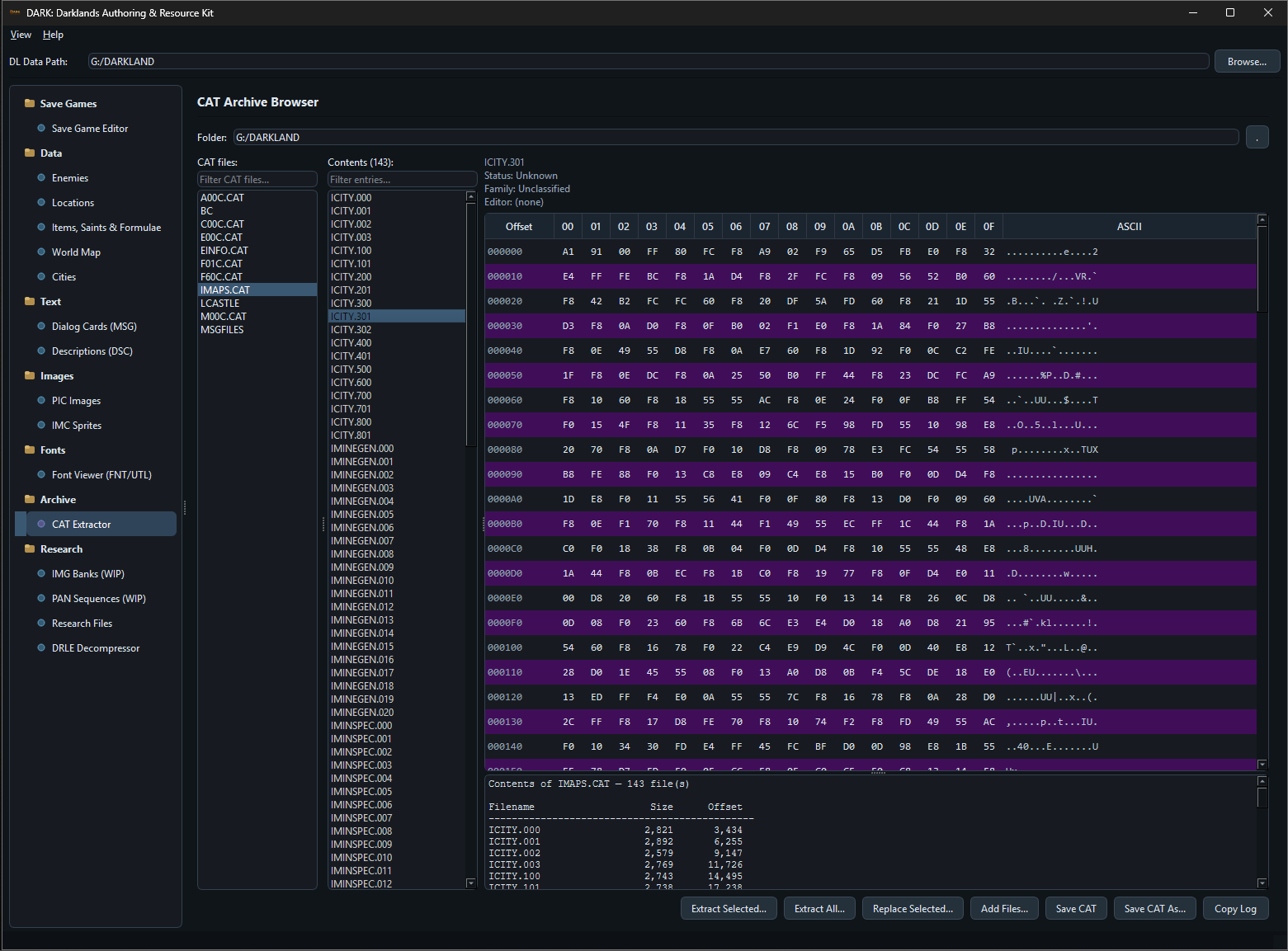
A browser for the CAT archive format that holds most of the game’s packed assets. The directory of any archive opens as a file list alongside a hex view of the selected entry. Known formats can jump directly into the appropriate DARK tool. Individual files and the full archive can be extracted to disk.
Research and Media Tools
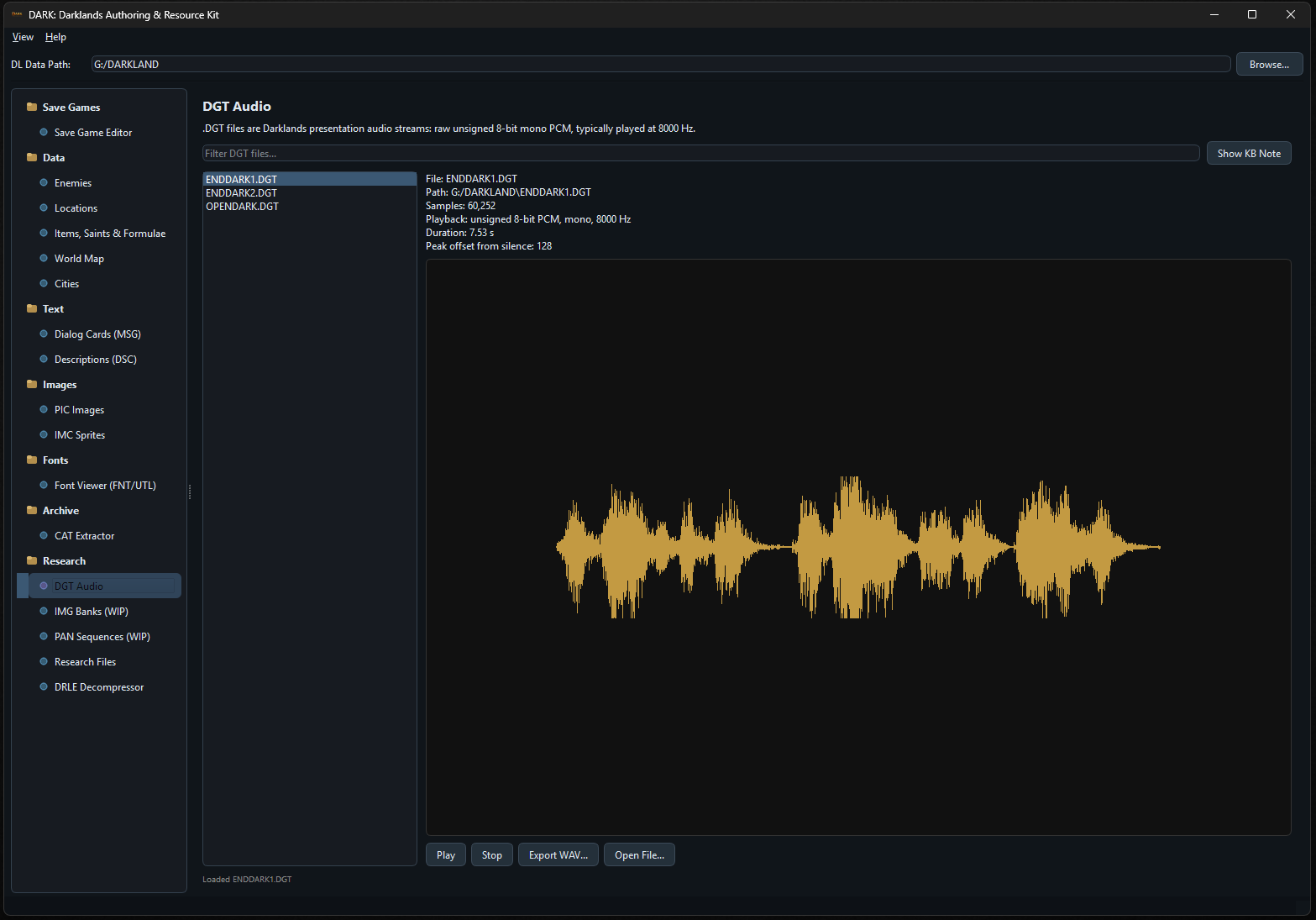
The DGT Audio viewer decodes and plays back Darklands’ presentation audio files. All .DGT files in the game folder are listed; selecting one shows the waveform alongside file metadata: sample count, playback format (unsigned 8-bit PCM, mono, 8000 Hz), and duration. Play and stop controls let you audition the audio directly; an Export WAV button converts any file to a standard WAV for use outside the tool.
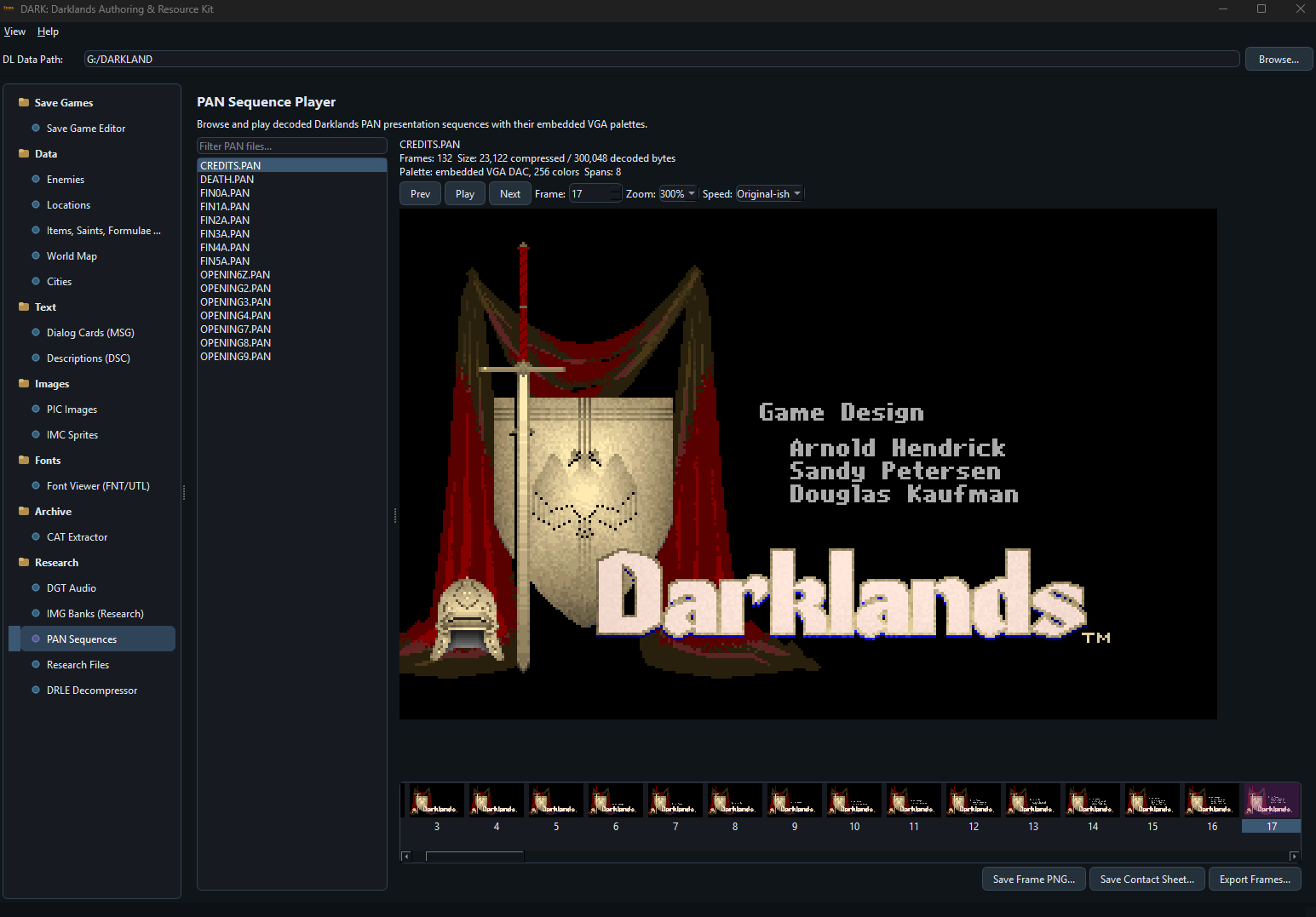
The new PAN Sequence Player browses and plays decoded Darklands presentation sequences with their embedded VGA palettes. You can step frame by frame, play the full sequence at different speeds, export individual frames, and generate contact sheets - which turns PAN from an opaque research format into something you can actually inspect and reuse.
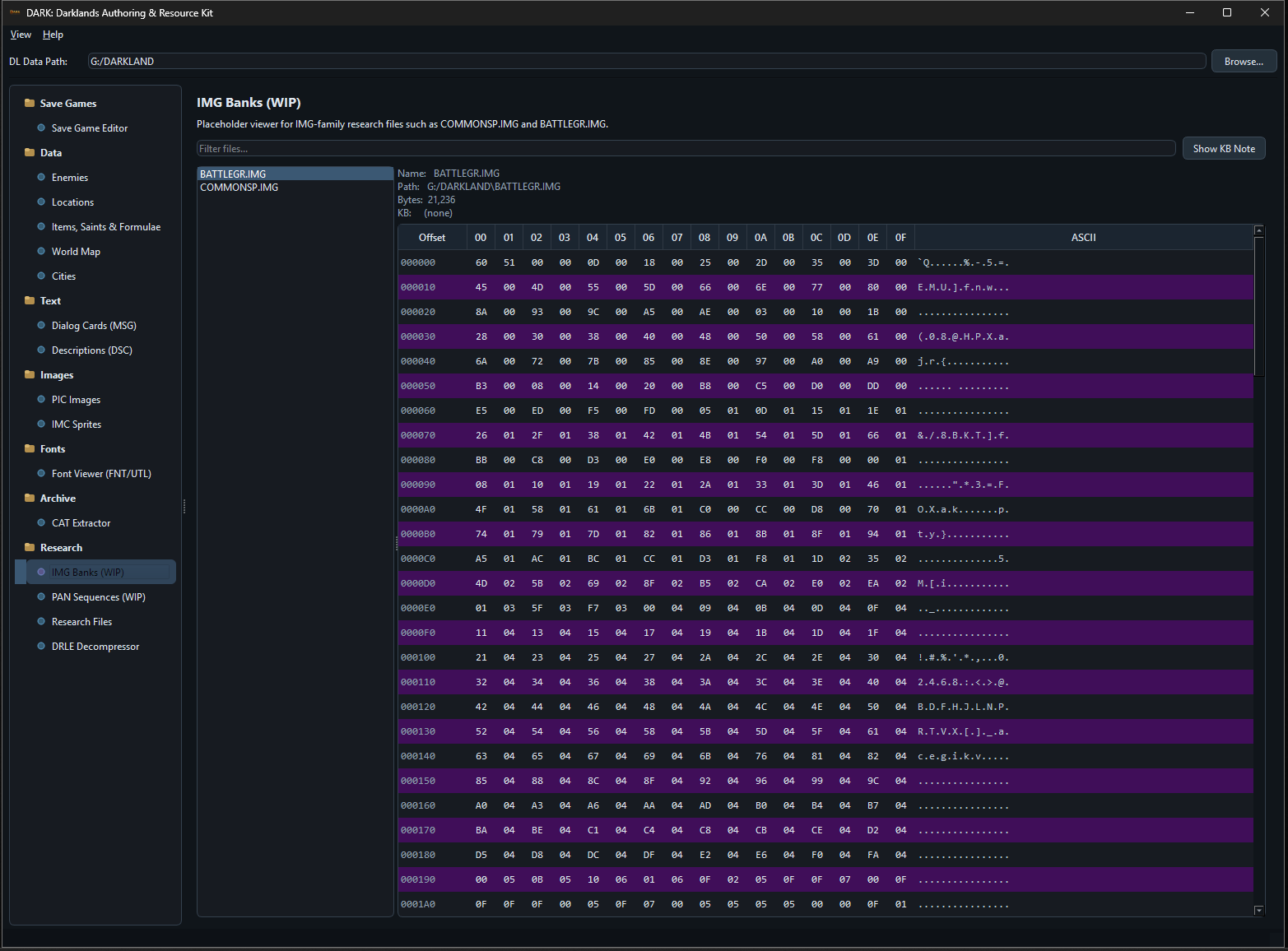
Viewers for image bank formats such as COMMONSP.IMG and BATTLEGR.IMG, a standalone DRLE decompressor, and general-purpose hex viewers for data structures that are still being decoded remain available alongside the more mature tools. These surfaces are intended for ongoing format analysis work alongside the reverse engineering project.
Validation
After loading a game folder, DARK can run a validation pass across the world data: city dock destinations, location reference integrity, enemy item assignments, palette range bounds, dialog option counts, archive structure checks, and alchemy/item consistency. The report is navigable - clicking a finding takes you directly to the relevant record. Useful both for catching format decode errors and for finding quirks in the original data.
Changelog
Selected earlier milestones are listed below. The full changelog covers later releases.
v0.9b3
- Added decoded
PANsequence support with embedded-palette playback, frame stepping, contact sheets, and frame export. - Promoted
PANfiles from research placeholder coverage to supported presentation assets.
v0.9b2
- Added
DARKLAND.ALCparsing, writing, and validation support. - Added richer
MSGFILESinspection and stronger structural validation. - Added direct CAT entry routing into the appropriate DARK tools.
- Added in-editor validation badges, issue navigation, and per-record issue markers.
Download
Download the current Windows package from the Releases page, unzip it, and run DARK.exe.
DARK is a community project, developed alongside the reverse engineering work documented in the devlogs.